Your iPhone on the handlebars. A dashboard at a glance.
Navigation, music and calls at a glance. Mount your iPhone on the handlebars, CarOS does the rest.
Free to download · No credit card required
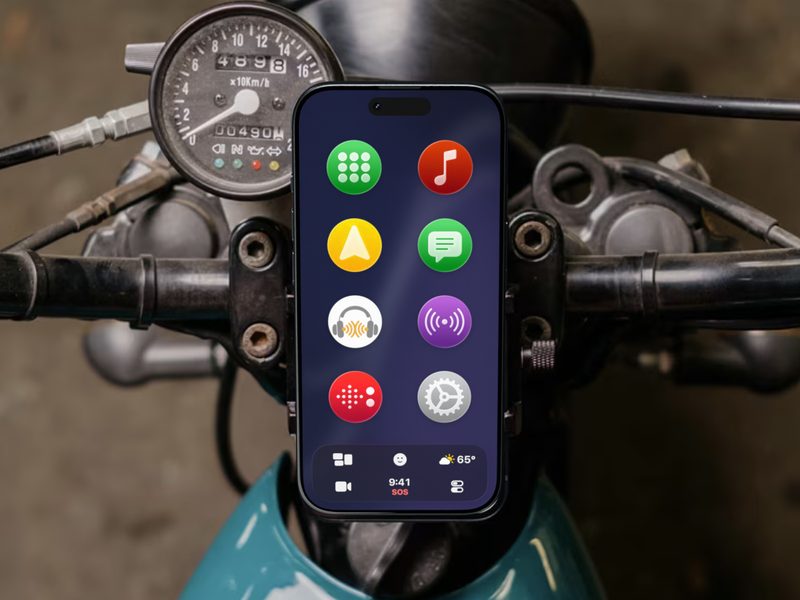
What you need
An iPhone
Any iPhone running iOS 17 or later. Calls and audio go to whatever it is connected to, like a Bluetooth helmet headset.
A handlebar mount
Choose one with vibration dampening: Apple advises against attaching an iPhone to high-power motorcycles, and recommends a dampening mount on scooters. Apple’s advice
Portrait or landscape
Every screen adapts to the way the iPhone sits on the mount.
Ready before you start the engine
- 1
Mount your iPhone
On the handlebars, in portrait or landscape.
- 2
Open CarOS
Big round icons you can hit without aiming.
- 3
Ride
The next turn, what’s playing and who’s calling stay at a glance.
What you see on the handlebars
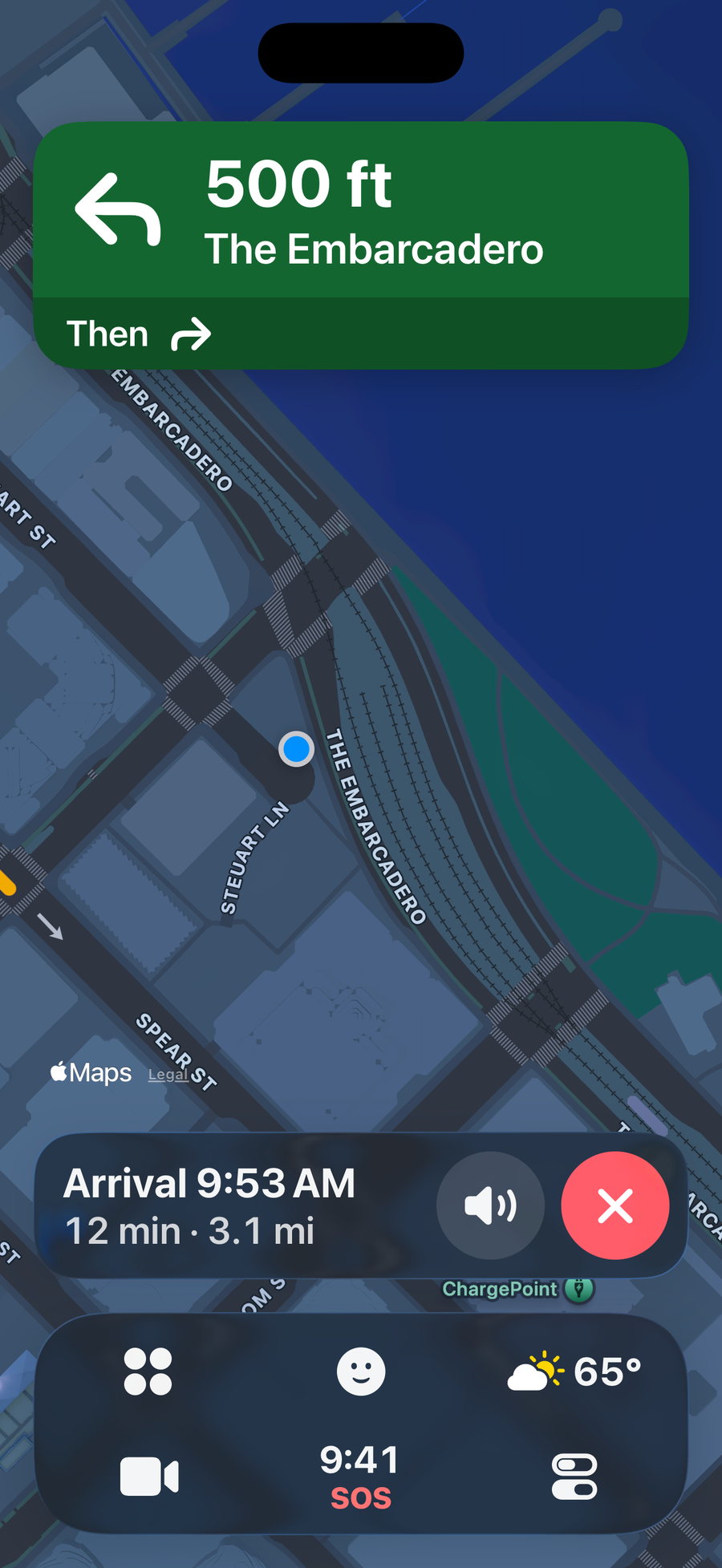
Turn by turn.
Big turn cards and road alerts from the Waze community, said out loud.
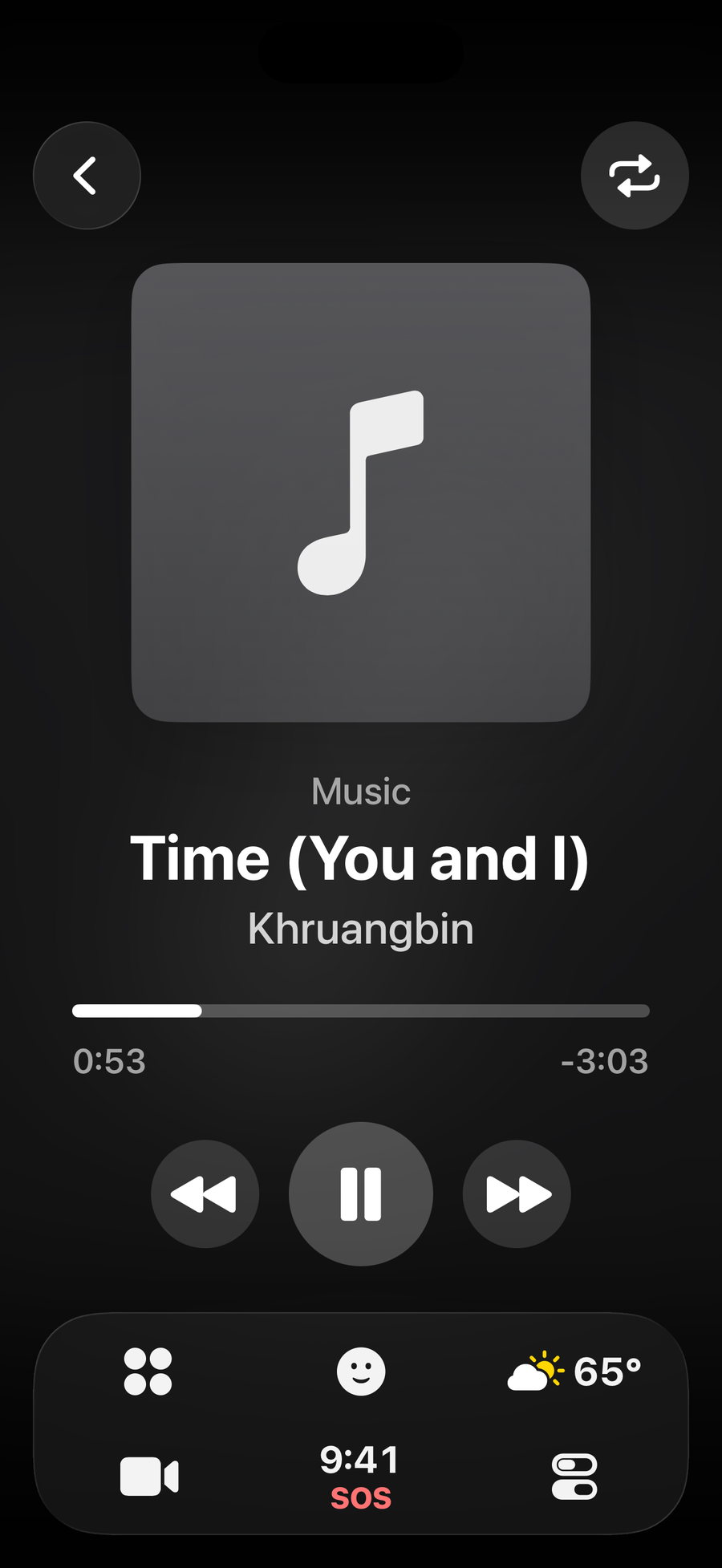
Your music.
Music, radio, podcasts or Spotify, with three big controls.
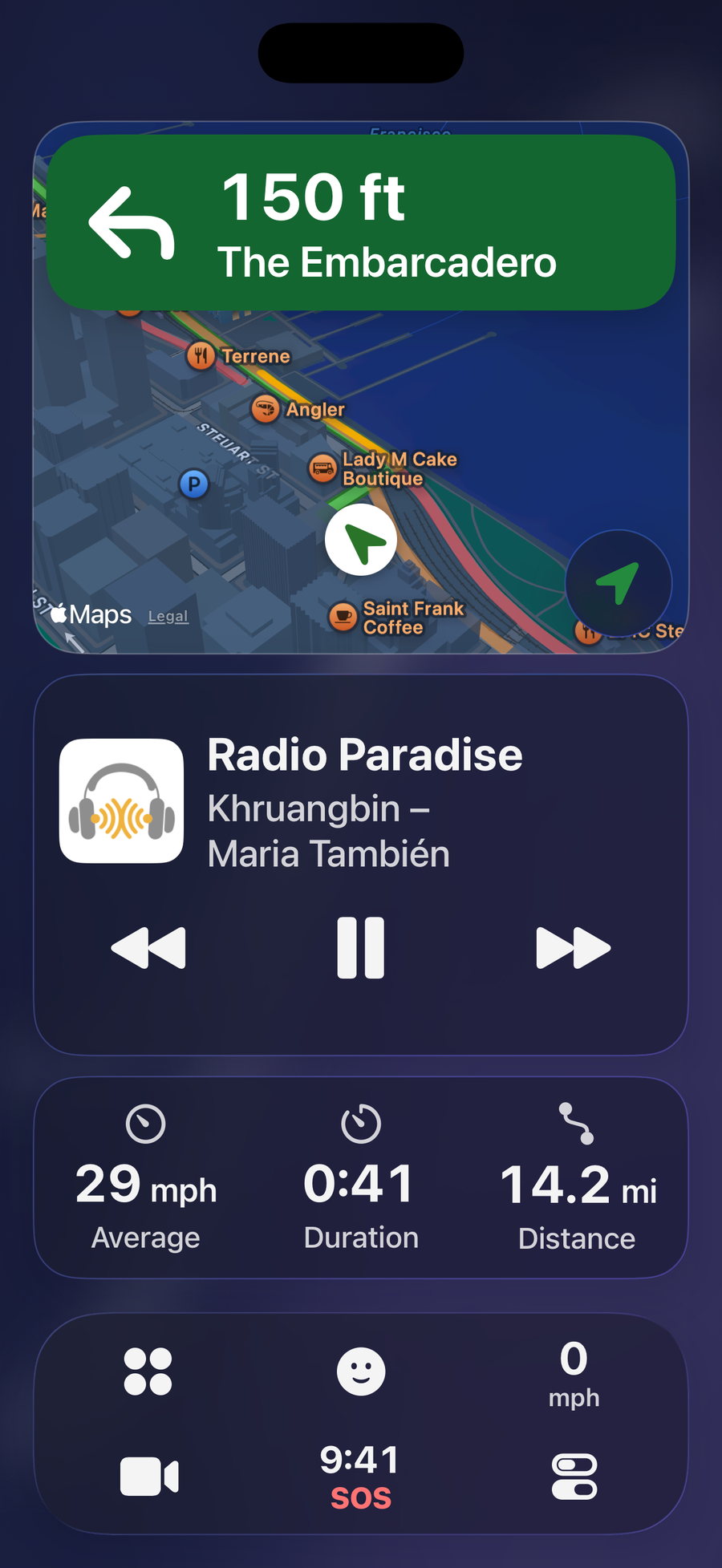
Your ride.
Average speed, riding time and distance, live.
Questions
Does CarOS work on a motorbike or a scooter?
Yes. CarOS runs entirely on your iPhone: all you need is a handlebar mount. There is no special motorbike mode: you get the same big, readable screens as in a car.
Can my family follow my ride?
Yes. Live Sharing sends a link: they follow your position on a web page, without an app, while CarOS is open on screen, for up to 12 hours.
What happens after a hard impact?
CarOS watches for a hard impact while you’re moving. If it detects one and you stop, it counts down 10 seconds, then opens the SOS screen with the local emergency number. You can cancel at any time.
Does navigation work offline?
Directions need a data connection: CarOS uses Apple Maps routing. The SOS screen and its emergency numbers work without one.
Is it free?
CarOS is free to download, with no credit card and no time limit. Premium adds more, by subscription or with a one-time Lifetime license.
Ride with a dashboard.
Download CarOS for free and turn your iPhone into a smart dashboard. Ready in under a minute.