Your iPhone is already a dash cam.
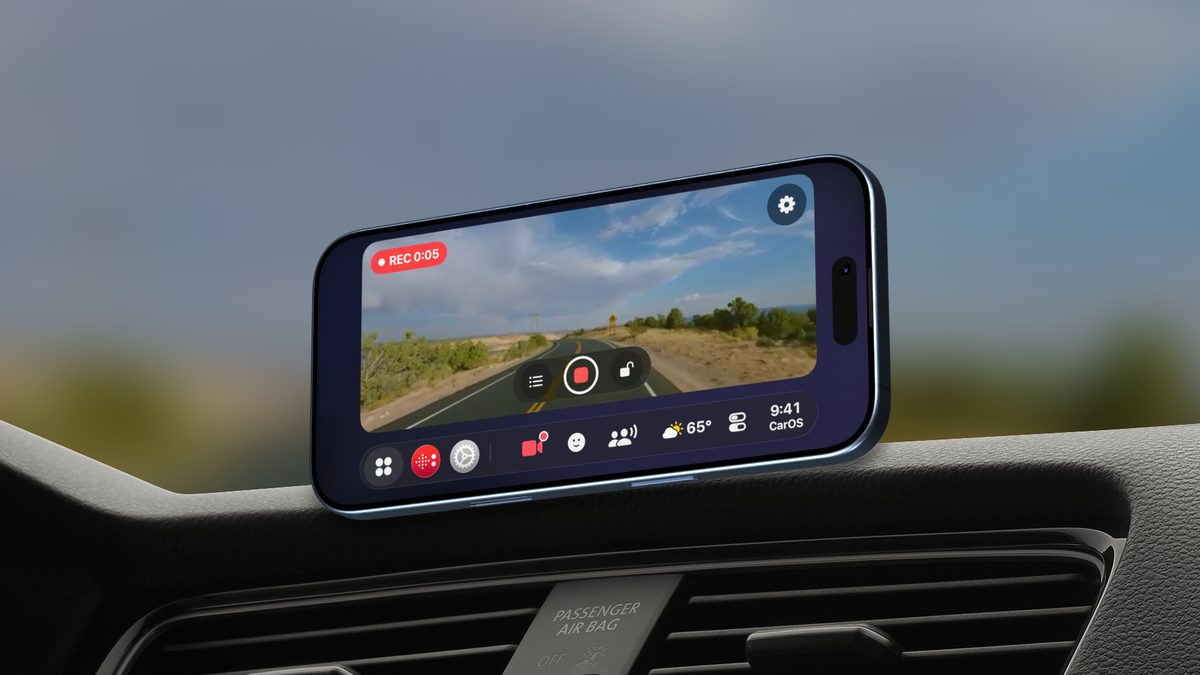
CarOS records the road with your iPhone’s back camera while it guides you. Loop recording, incidents saved automatically, one tap on the SmartBar to start.
Free to download · No credit card required
What you need
An iPhone
Any iPhone running iOS 17 or later. CarOS records with the back camera.
A mount facing the road
Landscape or portrait: the picture stays level whatever the angle of the mount. Mounts
CarOS Premium
The Dash Cam is part of Premium, by subscription or with a one-time Lifetime license.
Recording in one tap
- 1
Mount it facing the road
The back camera sees what you see.
- 2
Tap the camera on the SmartBar
Or let CarOS start it when you drive off, with Automations.
- 3
Drive
Old loops make room for new ones. Incidents stay.
How it works
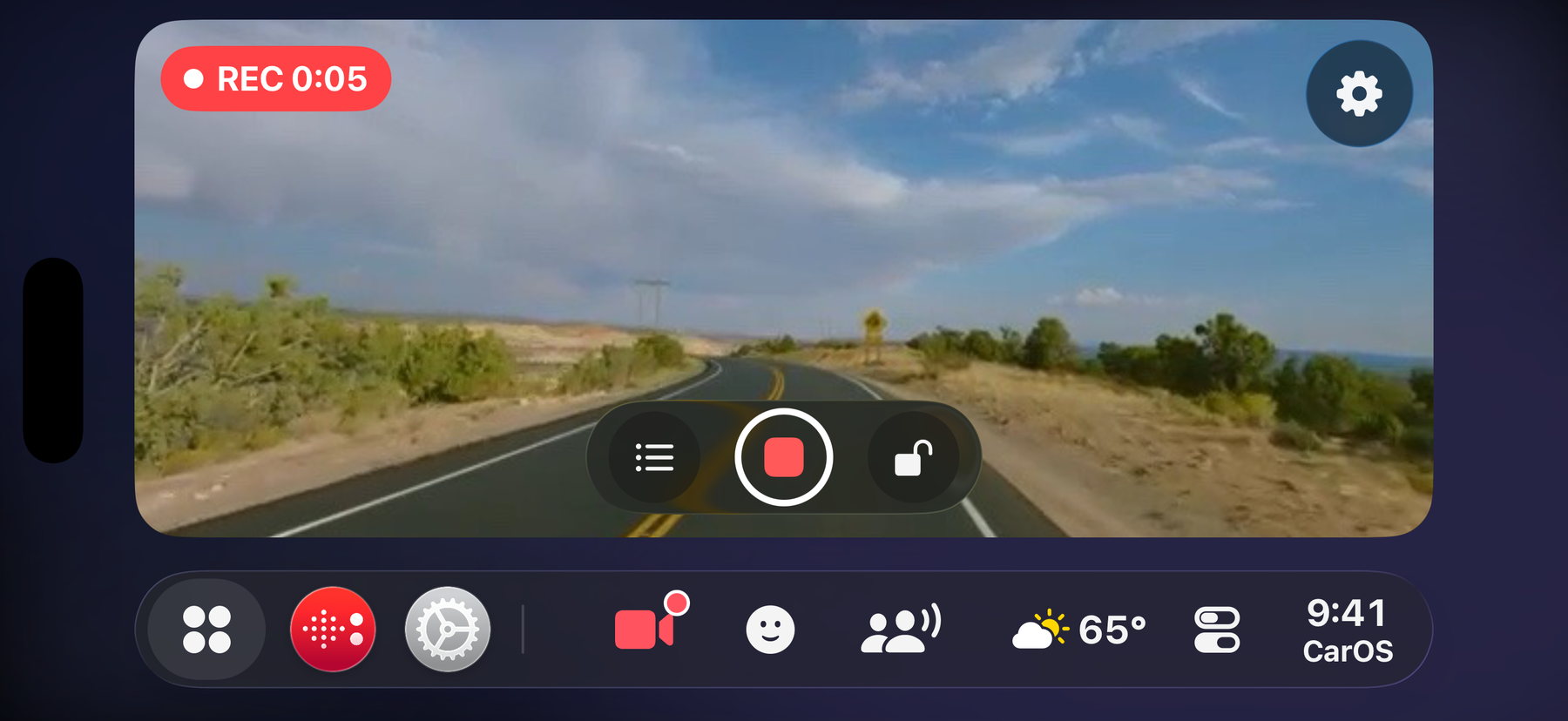

Loop recording.
Choose 1, 3 or 5-minute clips and keep the last 3, 5 or 10. Protected clips are never overwritten.
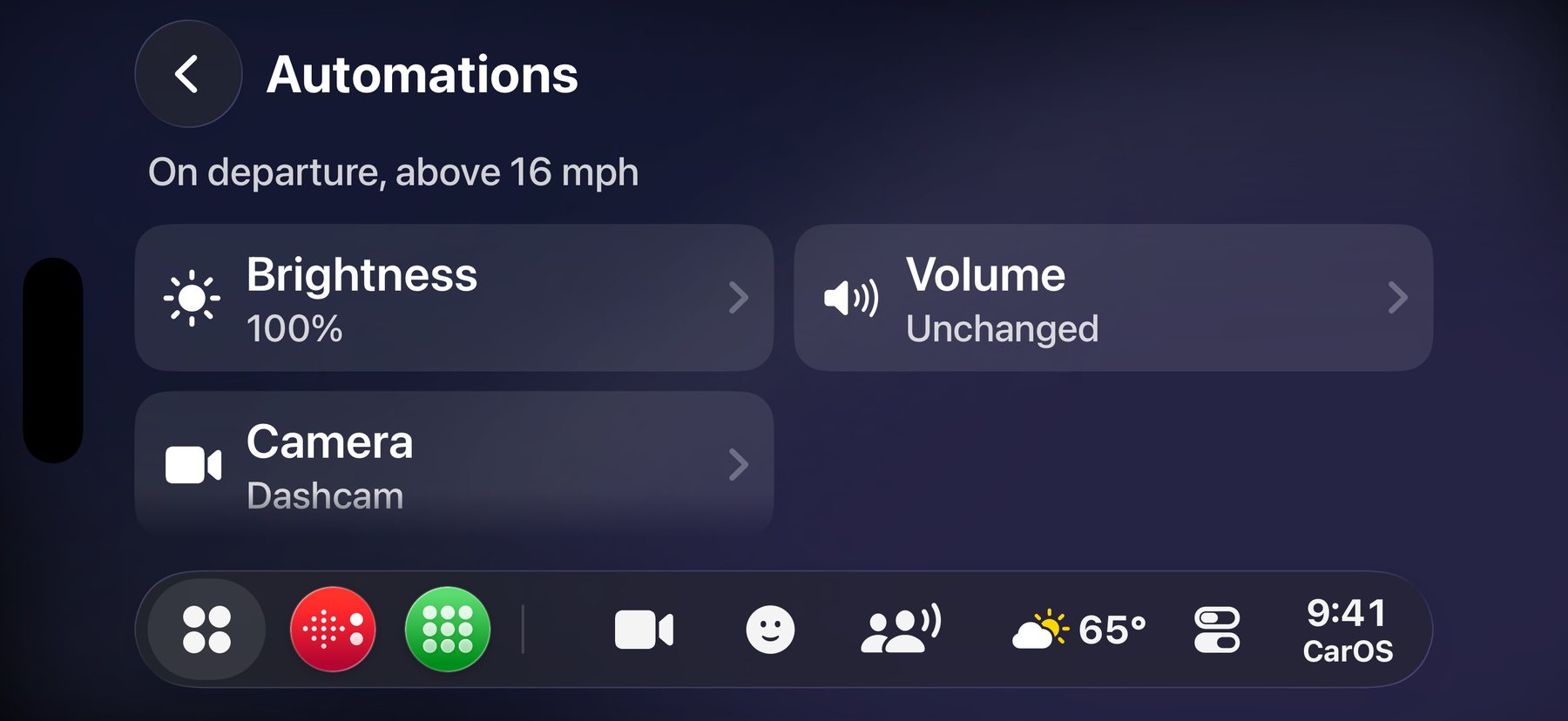

Starts on its own.
When you drive off, CarOS can start the Dash Cam for you. It always stops when you arrive.
A dedicated dash cam, or CarOS?
| A dedicated dash cam | CarOS Dash Cam | |
|---|---|---|
| What it takes | Buying a camera and a memory card, and powering it | The iPhone you already own |
| Loop recording | Yes | Yes: 1, 3 or 5-minute clips |
| Incident protection | Usually, with a shock sensor | Automatic on a hard impact, or one tap |
| Navigation and music on the same screen | No | Yes |
| Records when you leave the app | Not applicable | No: recording pauses until you come back to CarOS |
| Sound | Often | No: video only, no microphone |
CarOS records while it is open on screen. For round-the-clock surveillance of a parked car, a dedicated dash cam remains the right tool.
Questions
Does it record sound?
No. The Dash Cam records video only: CarOS never asks for the microphone for it.
Where are the videos saved?
In the Dash Cam CarApp, on your iPhone. Keep any clip in your Photos library with one tap; nothing leaves your iPhone on its own.
How much space does it use?
You choose: CarOS keeps the last 3, 5 or 10 clips and deletes older ones, except the protected clips, which stay until you delete them.
Does it keep recording if I switch apps?
Inside CarOS, yes: it keeps recording on every screen, with a small live preview in the SmartBar. If you leave CarOS, recording pauses and resumes when you come back.
What resolution does it record in?
1080p. If the iPhone gets hot or Low Power Mode is on, CarOS switches to 720p to protect it.
Is it free?
CarOS is free to download. The Dash Cam is part of Premium, with a 7-day free trial in the app.
Record the road. Keep your eyes on it.
Download CarOS for free and try the Dash Cam with Premium’s 7-day free trial.